Last week I looked at the images on my own website.
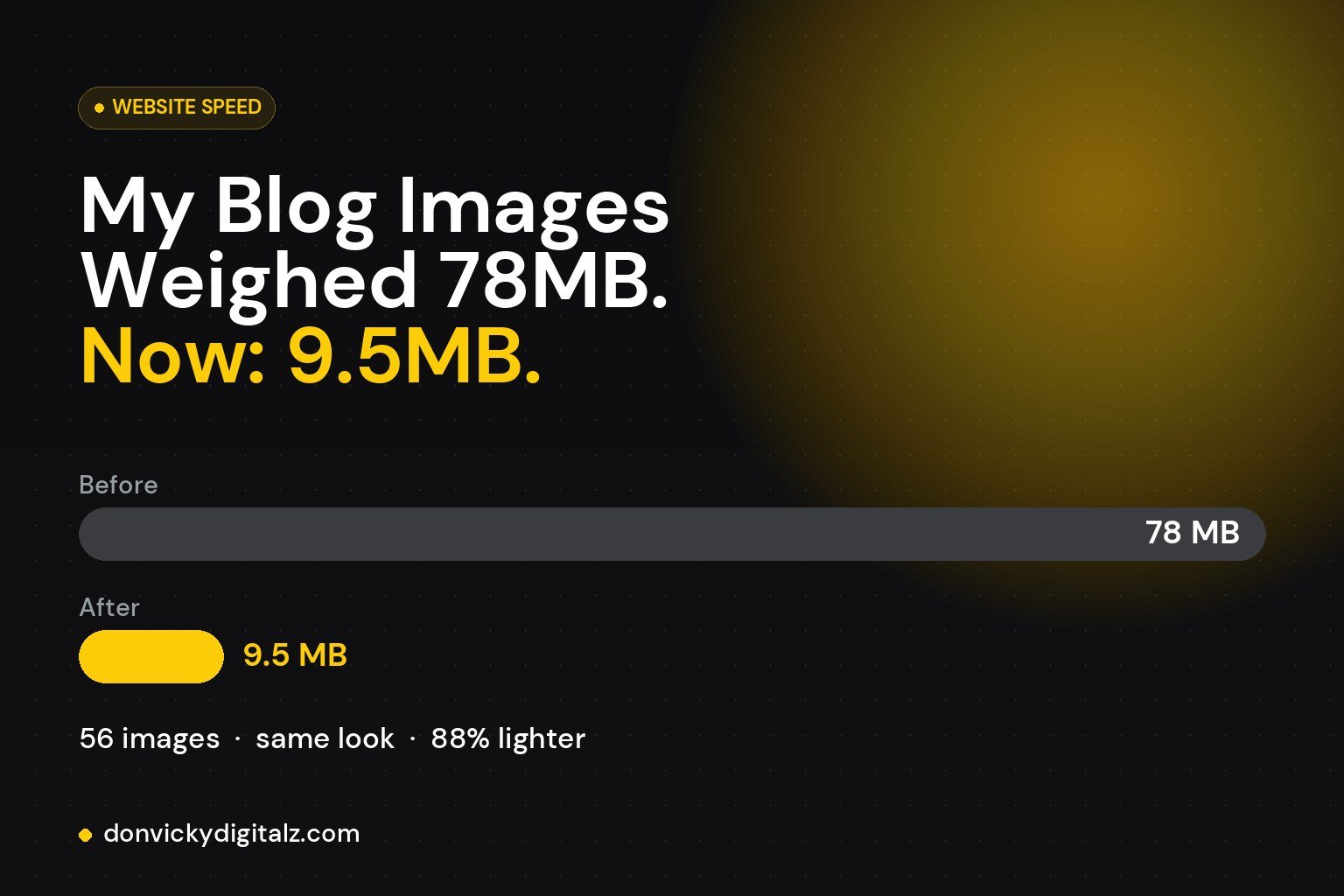
56 of them added up to 78MB.
Every blog image was a PNG exported straight from Canva. Most were between 1.5MB and 2.3MB.
Each.
That means anyone opening a blog post on mobile data was downloading around 2MB just for the picture at the top.
So I fixed it:
✔ Converted the photos and graphics from PNG to JPEG
✔ Resized anything bigger than it ever displays on screen
✔ Compressed them at a quality you can’t tell apart by eye
✔ Updated every page that used the old files, so nothing broke
The result: 78MB → 9.5MB.
The biggest one went from 2.3MB to 237KB. Same image. Same look.
Here’s the thing: none of this was visible. The site “worked.” It just quietly made every visitor wait longer than they needed to.
If you’re adding images to your website, three quick rules:
→ Use JPEG (or WebP) for photos and designs. Save PNG for logos and anything with a transparent background.
→ Export at the size it will actually display, not 4000px wide.
→ Compress before you upload, not after.
Quick check: what’s the biggest image on your website right now? You might be surprised. 👇